Stepping into a new year with your Android device feels like opening a blank slate. The right applications can transform your smartphone from a simple communication tool into a powerhouse for productivity, a studio for creativity, and a hub for entertainment. But with millions of options on the Google Play Store, finding the true gems can be overwhelming.
That’s why we’ve done the heavy lifting for you. We’ve sifted through the noise to curate a definitive list of essential Android apps that deserve a spot on your home screen in 2025. Whether you’re looking to get organized, create stunning content, or simply make your daily digital life smoother, these are the tools you won’t want to live without.
Boost Your Productivity in 2025
Let’s start with the apps that help you get things done. In a world of constant distractions, these tools are designed to streamline your workflow, organize your thoughts, and keep you focused on what truly matters.
1. Notion
Notion is more than just a note-taking app; it’s an all-in-one workspace. Think of it as a combination of Evernote, Trello, and Google Docs. You can create databases, kanban boards, wikis, calendars, and reminders all in one place. Its flexibility is its greatest strength, making it one of the top apps for Android for both personal and professional organization.
2. TickTick
While many task managers exist, TickTick stands out for its elegant design and robust feature set. It combines your to-do lists, calendars, and habit trackers into a single, intuitive interface. Features like a built-in Pomodoro timer and detailed statistics help you not only manage your tasks but also understand your productivity patterns.
3. Microsoft 365 (Office)
For seamless work on the go, the Microsoft 365 app is indispensable. It combines Word, Excel, and PowerPoint into a single application, allowing you to create, edit, and share documents without switching between different apps. With integrated cloud storage via OneDrive, your files are always synced and accessible.
Unleash Your Creative Side
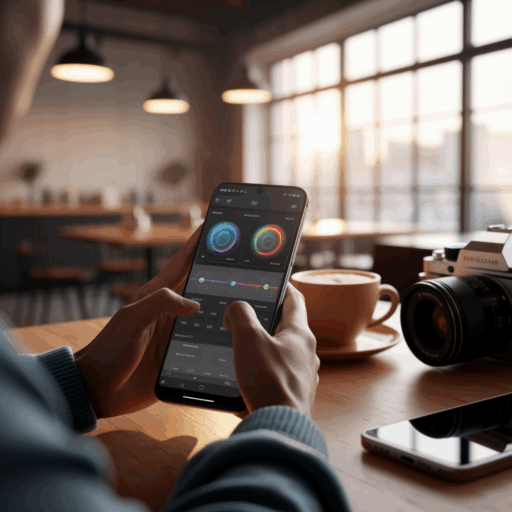
Your Android phone is a powerful creative device. These applications provide the tools you need to capture, edit, and share your vision with the world, whether you’re a professional photographer or a casual social media user.
4. Adobe Lightroom: Photo Editor
Lightroom brings professional-grade photo editing to your fingertips. While many editors offer simple filters, Lightroom provides granular control over lighting, color, and detail. Its cloud-based system means you can start editing on your phone and finish on your desktop, making it an essential tool for serious photographers.
5. CapCut
For video editing, CapCut has become a fan favorite for good reason. It’s incredibly user-friendly yet packed with powerful features like auto-captions, trending effects, and a massive library of royalty-free music. It makes creating polished, shareable videos for platforms like TikTok and Instagram Reels incredibly simple.
6. Canva
Canva is your pocket-sized graphic design studio. Need to create a social media post, a presentation, or a birthday invitation? Canva’s vast library of templates, fonts, and stock images makes it easy to produce professional-looking designs in minutes, no design degree required.
Quick App Comparison
Choosing the right tool can be tough. Here’s a quick comparison of some of the top productivity and creativity apps to help you decide.
| App | Category | Best For | Key Feature |
|---|---|---|---|
| Notion | Productivity | All-in-one organization | Interlinked databases |
| CapCut | Creativity | Social media videos | Auto-captions & effects |
| Bitwarden | Utility | Secure password management | Free, open-source sync |
Must-Have Android Utility Apps
These are the workhorses that operate behind the scenes. They enhance your device’s security, functionality, and overall user experience in subtle but significant ways.
7. Bitwarden
In 2025, a password manager is non-negotiable. Bitwarden is a fantastic open-source option that securely stores all your passwords and syncs them across all your devices for free. It makes logging into sites and apps both secure and effortless.
8. Files by Google
This is more than just a file manager. Files by Google helps you free up space with cleaning recommendations, find files faster with smart search, and share files offline with others. It’s a lightweight but powerful tool for keeping your device’s storage in check.
9. Gboard
While most phones come with a decent keyboard, Google’s Gboard takes it to another level. With glide typing, voice typing, GIF search, and integrated Google Translate, it makes typing faster and more versatile. It’s one of those utility apps you’ll wonder how you lived without.
10. ProtonVPN
Using public Wi-Fi can be risky. A VPN (Virtual Private Network) encrypts your internet connection, protecting your privacy. ProtonVPN offers a reputable free tier that’s perfect for casual use, providing an essential layer of security when you’re on the go.
Apps for Entertainment, Health, and Knowledge
Your phone is also a portal to relaxation, self-improvement, and fun. These apps enrich your personal time and help you pursue your interests.
11. Pocket Casts
For podcast lovers, Pocket Casts is the gold standard. It has a beautiful interface, powerful playback controls (like trimming silence and volume boost), and excellent cross-device syncing. It makes discovering and listening to your favorite shows a joy.
12. Libby
Tap into your local library’s massive collection of e-books and audiobooks for free. With Libby, all you need is a library card to borrow digital titles instantly. It’s a must-have app for any avid reader.
13. Headspace
Mental wellness is crucial, and Headspace makes mindfulness accessible to everyone. With guided meditations, sleep sounds, and focus music, it helps you manage stress, improve sleep, and cultivate a calmer mind. The app’s charming design makes the practice of meditation feel less intimidating.
Innovative Apps You Shouldn’t Miss
Finally, here are a couple of apps that offer something a little different, pushing the boundaries of what your phone can do.
14. IFTTT (If This Then That)
IFTTT is an amazing automation tool that connects your apps and devices in creative ways. For example, you can create an “applet” to automatically save your Instagram photos to Dropbox or get a notification if it’s going to rain tomorrow. It’s a powerful way to make your digital life work for you.
15. Inoreader
In an age of algorithmic feeds, Inoreader puts you back in control of your news. It’s a powerful RSS reader that lets you subscribe to websites, blogs, and news sources, creating a customized feed of content that matters to you, free from the noise of social media. It’s an excellent way to follow specific topics or writers.
Curate Your Perfect Android Experience
Your smartphone is a deeply personal device, and the apps you choose to install play a huge role in shaping your digital life. Filling it with tools that are useful, inspiring, and enjoyable can make a significant difference in your day-to-day routine. We encourage you to try a few of these recommendations and see how they can improve your productivity and creativity.
The app ecosystem is constantly changing, so it’s always a good idea to stay informed about new and updated tools. For the latest official news and highlights from the ecosystem, you can always explore resources that cover the best Android apps you should install in 2025 and other platform developments.